



Profile and verification
Check your registered phone number, personal details and verification state here. We use this area to show whether another account step is required before cashier access or a withdrawal request can proceed.

padang89 puts Live Roulette Salon, Fruit Fiesta Reels and Basketball IBL Bet behind one account, with DANA, OVO, GoPay and QRIS shown beside the cashier path.
The home lobby places casino and slots behind clear category tabs, with search available on mobile for a title you already know.
Slots appear first, followed by live dealer tables, fishing rounds and sports markets, all connected to your visible account and wallet status.
Pragmatic Play, PG Soft and Habanero sit alongside several established studios, giving you familiar slot formats and clearly separated provider filters.
The cashier groups Indonesian wallets separately from bank routes, reducing guesswork when you fund your account.
Some decisions need more than a game tile. Our home page points you toward durable areas for account status, cashier steps, game terms, access conditions and help, so…
Check your registered phone number, personal details and verification state here. We use this area to show whether another account step is required before cashier access or a withdrawal request can proceed.

The cashier displays DANA, OVO, GoPay and QRIS alongside bank transfer and virtual account routes. Each transaction remains tied to your account so you can check its displayed state.
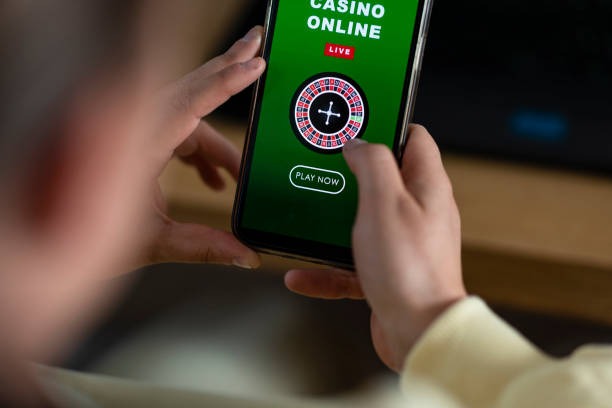
Open a game panel to find its rules, feature descriptions and available return data. Live Roulette Salon also presents table context before you enter the streamed dealer room.
Our access page explains that availability depends on local law. Check it before opening an account or attempting to use the lobby from a location outside your normal region.
Your first visit starts with a clear route from the home page to account access.
Start from the account button on our home page, enter the requested details and complete phone verification. Once confirmed, the same account opens the casino lobby, slot search, live tables and sportsbook.
Confirm that your phone number and personal details are accurate before using the cashier. Matching account details help us check withdrawal requests without sending you through avoidable correction steps later.
Use the home navigation to move between slots, live casino, fishing games and sports markets. Football, badminton and basketball sit in the sportsbook, while table games remain in the casino area.
Keep your password private and check the device shown in your account session. Phone verification is completed before account access, and our support path is available if a login attempt or wallet status looks unfamiliar.
Support starts close to the account and cashier areas, where the relevant status is already visible. Tell us whether the issue concerns login, phone verification or a transaction, and include the displayed reference when available. This helps our team separate account access questions from wallet receipt checks.
Open live chat from the help area for an active login, account or cashier issue. Keep the transaction reference nearby when asking us to check a DANA, OVO, GoPay or QRIS status.
Email is suited to issues that need a receipt or longer account explanation. Send the account identifier, selected rail and displayed transaction state, but never include your password or phone verification code.
The mobile account menu links directly to help without requiring you to reopen the home page. Use it when a phone login stalls or the cashier state does not change after wallet confirmation.
The mobile home page keeps login, lobby tabs, game search and cashier access in one navigation path.

Phone verification comes before account access, while session and profile areas remain available after entry.
We confirm the registered phone before opening account access. This creates a clear checkpoint between submitted details and the casino lobby, and it gives support a defined reference when helping with login trouble.
Your password should remain known only to you. Do not share codes sent to your phone, and use the account session area to check whether access from a device appears unfamiliar.
Wallet funding and withdrawal requests happen inside the cashier rather than inside a game. This separation lets you check the selected rail, amount and transaction state without interrupting a live table or slot round.
We compare the request with the verified account details and available transaction record. If something does not match, the displayed status remains available while support requests the specific detail needed to continue checking it.
Scattered search results can separate game names, wallet instructions and contact details across unrelated pages.
| Game discovery | Our lobby groups slots, live tables, fishing and sports markets by category. Scattered sources may show a title name without its current game panel, rules or direct category location. |
|---|---|
| Wallet context | The cashier displays supported local rails against your account. Unrelated pages can mention a wallet without showing whether DANA, OVO, GoPay or QRIS is present in the active cashier. |
| Account status | Your profile holds phone verification and account details in one place. External sources cannot show your current verification state or whether an account correction is required. |
| Transaction checks | Cashier records show the selected route and displayed state for your own request. Offline messages or unrelated pages cannot provide that account-linked transaction context. |
| Game rules | Each available title links to the rules supplied for its format. A detached game mention may omit return settings, table limits, paylines or feature conditions shown inside the lobby. |
| Contact path | Our help area connects live chat, email and mobile assistance to the same account flow. Scattered contact claims may not lead to the support route attached to your account. |
Return data can vary by title, mode or provider configuration, so we do not publish one number for the entire lobby. Check the game panel or provider rules before entering.
Open the title panel to check return data, paylines and feature rules supplied for that specific…
Confirm the displayed return setting and variable reel rules before opening Flores Fortune Megaways.
Check table limits, roulette format and rules in the lobby panel for Live Roulette Salon.
Aviator Mobile Play presents round mechanics within its game screen; read them before choosing a stake.
Fishing War Fast Round displays control and scoring details within the title rules supplied in the…
RTP percentages are informational reference values from provider documentation. Actual session outcomes vary.
You can reach our browser-based home page from supported regions across Indonesia, including Semarang, using a phone, tablet or computer connection. Account eligibility depends on local law, and availability may differ when your location changes. The lobby uses the same account path across devices, while wallet options such as DANA, OVO, GoPay and QRIS appear according to the cashier context available to you.
Six visible elements make the main page practical before you enter a game: a searchable slot lobby, streamed dealer tables, sports categories, Indonesian wallet access, account status and…
These answers cover the questions people commonly ask before using our home page: what appears in the lobby, how account access works, which Indonesian payment rails are shown, what happens on mobile and where to request help. Check the linked policies for full account and regional terms.
Begin with the lobby tabs if you want to browse, or open the account menu to check verification first. The cashier handles DANA, OVO, GoPay, QRIS, bank transfer and virtual account routes.
Open casino, slots, live tables, fishing or sportsbook from the main tabs. Use search when you know the title, such as Aviator Mobile Play or Fishing War Fast Round.
Check your phone verification, personal details and session access before using the cashier. Accurate details reduce correction requests when we compare an account with a withdrawal submission.
Choose a local wallet, virtual account or bank transfer, then follow the displayed confirmation steps. Return to the transaction list to see the selected rail and current state.
Use live chat, email or mobile help for operational questions. Privacy wording, account terms and regional access conditions remain linked from the home footer for checking before account activity.